Relevant road layouts
The preview has map, satellite and hybrid views. Choose the one that shows the road layout or surroundings you want to discuss.

CoreDrive Street Canvas
Street Canvas is being developed to help you explain driving situations with a picture. Use a road map, add drawings or place a vehicle where it helps the learner understand what you mean.
For instructors explaining a driving situation to a learner. Use the picture during a suitable briefing. When driving, keep your attention on the road.
Planned Mid-November 2026
Join the Street Canvas waiting list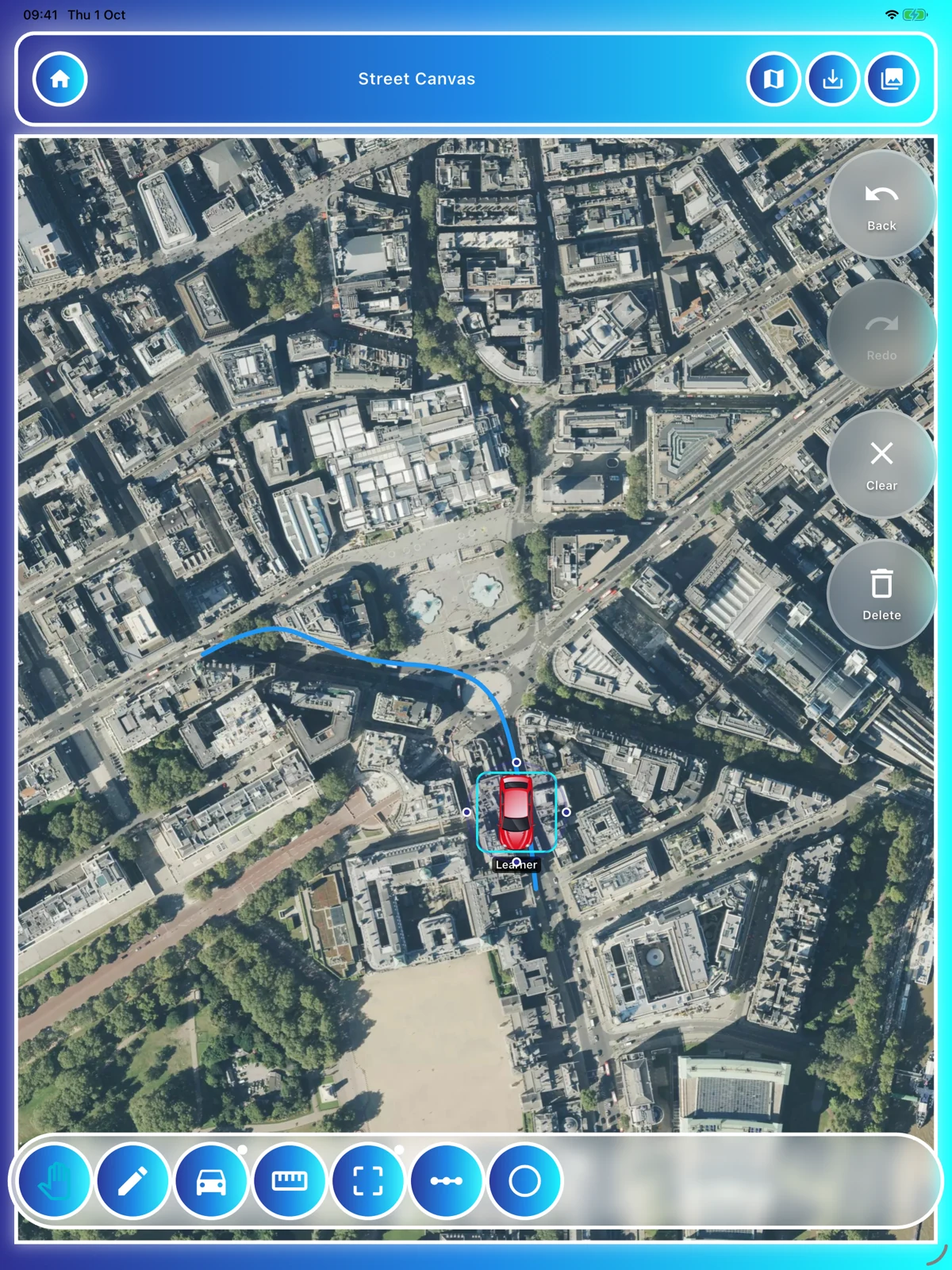
£9.99 for six months or £15.99 for one year.
These are whole-period subscription totals, including applicable taxes. Download, register and subscribe within the app through Apple’s App Store or Google Play once released. There is no direct web signup, mobile-app checkout or website discount. Store links will appear when the release is available.
The preview has map, satellite and hybrid views. Choose the one that shows the road layout or surroundings you want to discuss.
The preview includes pan, pen, vehicle, measure, zone, line and circle tools. Use the marks you need for the explanation and leave the rest out.
Start with a road-layout template or add a vehicle to your picture. Treat the diagram as an illustration: the actual road signs, markings and conditions still apply.
The preview includes PNG capture and options for saving diagrams. We’re still checking how saved diagrams will be kept, along with map access, permissions and limits.
Choose the part of the layout the learner needs help with. Label it, add a clear mark and ask them to explain what they see. You can add detail as the discussion needs it.
Street Canvas is planned as a teaching aid. Turn-by-turn navigation and Street View aren’t promised features. You’ll need to follow the map provider’s terms and attribution rules. We’ll confirm connection requirements, saved-diagram limits, supported devices and pricing before launch.
We’re planning it for visual lesson explanations. A live navigation service isn’t part of what we’re promising.
That hasn’t been confirmed. We’re checking map access and saved diagrams in the launch version before describing what will work offline.
The map preview can help you discuss a relevant junction layout. Check that the imagery is current and that your use follows the provider’s terms and attribution rules.